Cryptomator: Local vault encryption for Android cloud workflows
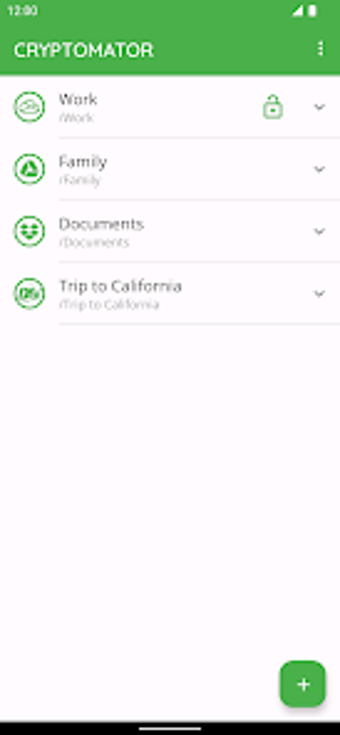
Cryptomator: Protect Privacy, developed by Skymatic GmbH, is an Android app designed to secure files before they reach cloud storage. It creates local encrypted vaults that keep sensitive documents confined to the device until a sync tool uploads them, protecting content at the source. The app emphasizes open-source transparency and a zero-knowledge approach, offering privacy-centered controls for individuals and business professionals who manage cloud-backed documents. It supports biometric unlocking for quick mobile access.
Encryption and auditability match privacy-focused compliance needs
AES-256 protects both file contents and filenames, a technical detail relevant to regulated document handling. The app implements a zero-knowledge model so only the user holds access keys, and the publicly available source code permits independent auditing of the implementation. Recognition at CeBIT highlights attention to usable security, a consideration for teams that must demonstrate technical controls to auditors.
Integration with existing sync tools preserves established workflows
The app connects to major cloud providers and supports S3- and WebDAV-based services while offering local storage vaults that third-party sync apps can monitor. Rather than relying on a central server, Cryptomator avoids account dependencies and lets teams keep their current sync setup. This approach keeps established team processes intact, and handling each file separately reduces upload churn during cloud synchronization.
Mobile behavior fits on-the-go access but demands Android-aware configuration
On Android the app offers biometric unlocking and automatically locks vaults when it moves to the background, behaviors intended for quick access with immediate re-locking. The developer recommends recent Android builds for full parity with the feature set. User feedback notes simpler operation than many traditional encryption tools, though some users report limited integration with Android's Storage Access Framework for certain file workflows.
Cryptomator suits privacy-minded professionals who accept hands-on mobile setup
Cryptomator is a practical pick for privacy-focused teams and consultants who accept hands-on configuration to align Android file access with existing sync processes. Expect to invest time arranging vault locations and sync behavior to match current tools. Its transparency and independence from vendor-controlled servers supports compliance-focused deployments, making it appropriate for workflows that prioritise demonstrable data control over plug-and-play convenience.